
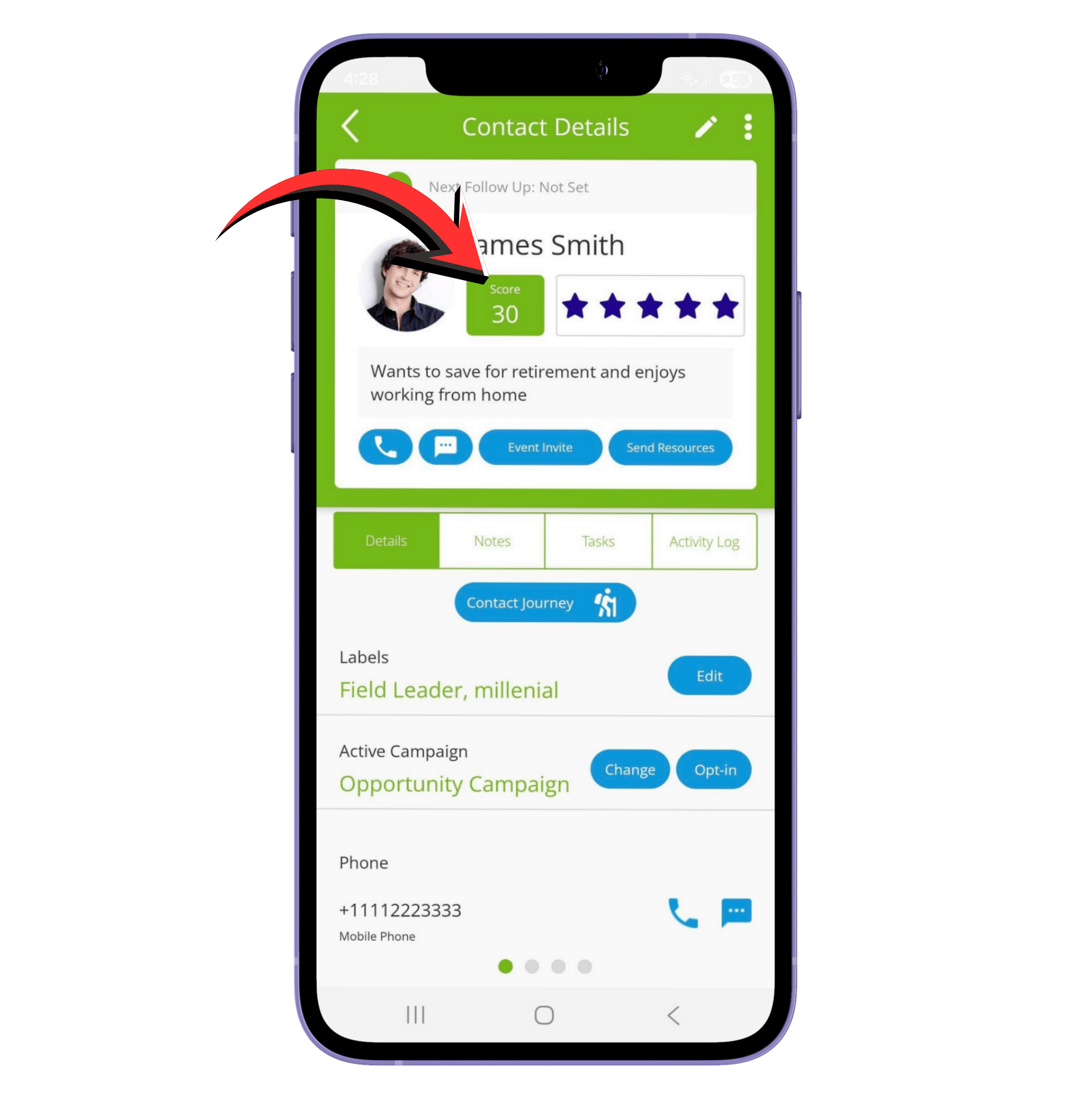
Q1: What is a contact score?
A contact score measures how engaged someone is with the resources, campaigns, and event invites you’ve sent. Higher scores mean the contact is more active, responsive, or interested. Scores are calculated automatically based on their actions and video views, and can also be manually adjusted using star ratings.
Q2: How does a contact earn points automatically?
Contacts gain points for various actions:
- Opting in to a campaign: 10 pts
- Opening an email: 1 pt
- Clicking a link: 2 pts
- Scheduling an event: 5 pts each
- Filling out a form: 5 pts
- Requesting a call: 5 pts
- Rating increase: Points equal the difference between old and new rating
Points from watching videos (max 25 pts per video):
- 1 pt for every 20 seconds up to 3 minutes
- 1 pt per completed minute for 4–10 minutes
- 0.5 pt per completed minute over 10 minutes
- Video scoring examples:
- 2 minutes watched = 6 pts
- 8 minutes watched = 14 pts
- 22 minutes watched = 22 pts
- Video scoring examples:
Q3: How do manual scores work?
You can assign a star rating to a contact:
- 0 stars = 0 pts
- 1 star = 6 pts
- 2 stars = 12 pts
- 3 stars = 18 pts
- 4 stars = 24 pts
- 5 stars = 30 pts
Q4: Can a contact lose points?
Yes, points can decrease from:
- Opting out of a campaign: -25 pts
- Spam complaints: -50 pts
- Rating decrease: Points = difference between old and new rating
- Inactivity: 1 pt/day lost after 7 days, down to the contact’s minimum score
Q5: What makes a contact “hot”?
A contact becomes hot when their score reaches 50 points. Hot contacts are highly engaged and should be prioritized.
Did we answer your question? If you need more help, please tap the chat icon, and we’ll be happy to assist you.